Two-Factor vs Two-Step Verification: What’s the Real Difference?
About this article: Written and reviewed by a cybersecurity content team specializing in identity and access management, authentication standards, and consumer account security. All technical claims are cross-checked against primary sources from standards bodies and security agencies.
You see “two-factor authentication” and “two-step verification” on every login screen, and the terms get used like they’re identical. Pick the wrong one for a bank account or email inbox, and you could still leave a door open for attackers who only need one stolen password. This guide breaks down two-factor vs two-step verification in plain language, shows you which one blocks more attacks, and walks you through setting up the stronger option in minutes.
What Is Two-Factor Authentication (2FA)?
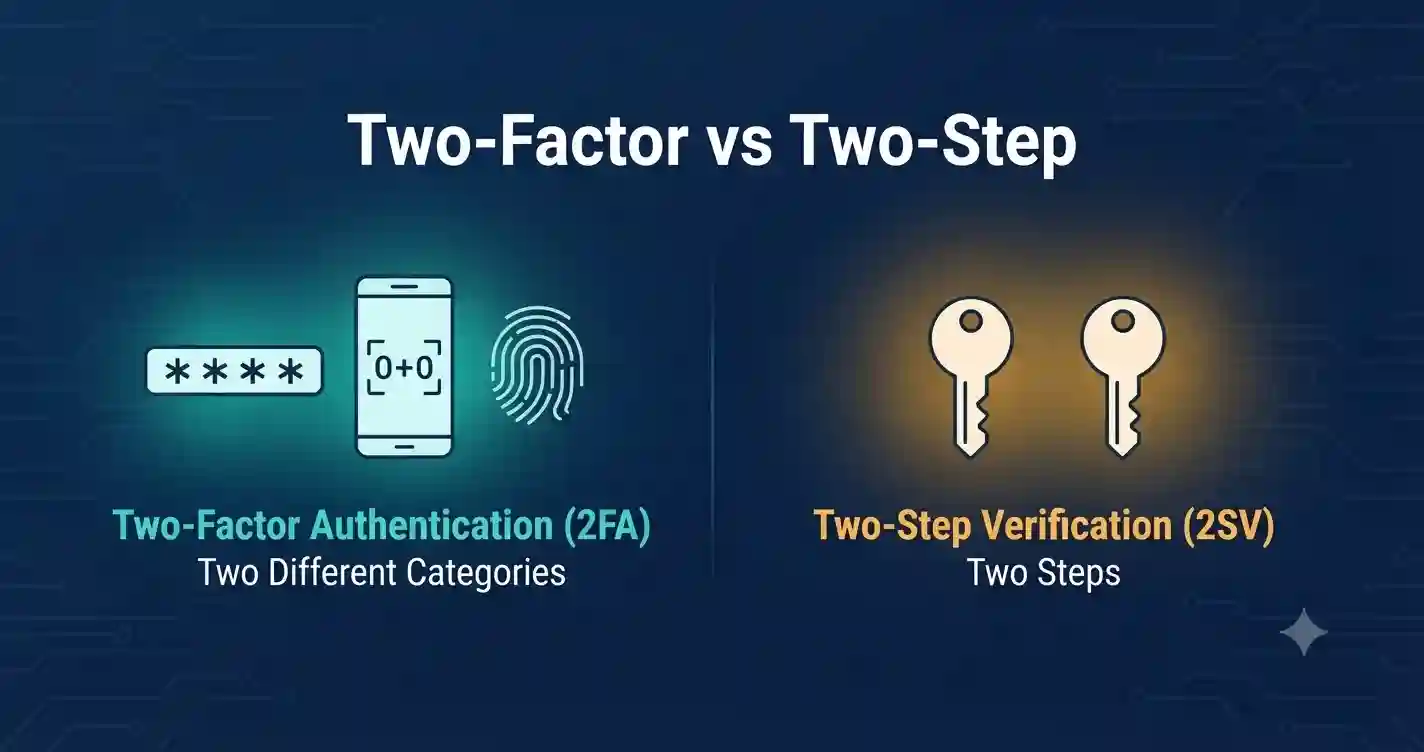
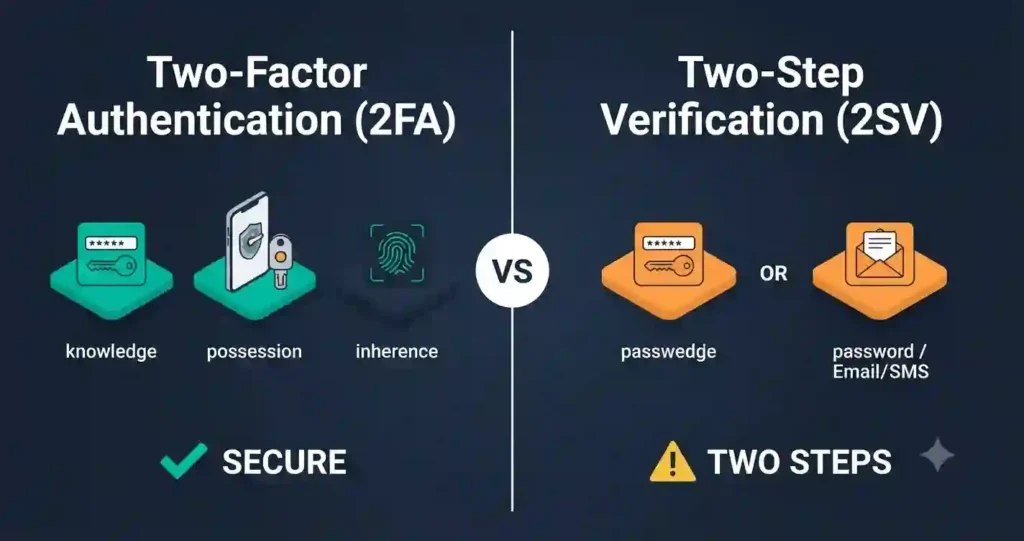
Two-factor authentication asks for two different types of proof before it lets you into an account. Security professionals sort proof into three categories: something you know, something you have, and something you are.
A password is something you know. A phone or a security key is something you have. A fingerprint or your face is something you are. True two-factor authentication always combines proof from two of these three categories, never the same one twice.
That rule is what separates real 2FA from a system that only feels secure. If your password gets stolen, an attacker still needs your physical device or your biometric data to get in. That second, separate category is what makes two-factor authentication meaningfully harder to break.
What Is Two-Step Verification (2SV)?
Two-step verification adds a second checkpoint to your login, but it doesn’t require that checkpoint to come from a different category. Two steps from the same category still count as 2SV.
A common example: you enter your password, then a code arrives by email. Both steps rely on something you know — your password and the email account you can access. That still stops casual password-guessing, but it leaves a narrower gap than genuine two-factor authentication.
Most consumer apps that say “verify your identity in two steps” are describing 2SV, even when their marketing copy calls it two-factor. The two terms get swapped constantly, and that mix-up is exactly why this comparison matters.
Two-Factor vs Two-Step Verification: The Core Difference
Here’s the one sentence that settles the two-factor vs two-step debate: 2FA requires two different categories of proof, while 2SV only requires two steps, which can both sit inside the same category.
Think of it like locking a door. Two-factor authentication is a deadbolt plus a fingerprint scanner — two completely different mechanisms. Two-step verification can be two padlocks that both open with a similar type of key. Both slow down a break-in. Only one forces the attacker to switch tools entirely.
Every 2FA setup happens to use two steps, so 2FA is technically a subset of 2SV. Not every 2SV setup qualifies as 2FA, because the two steps might share a category. That one-way relationship is the detail most articles skip.
How Authentication Factors Actually Work
The National Institute of Standards and Technology (NIST) defines three official factor categories in its Digital Identity Guidelines, and understanding them makes the two-factor vs two-step comparison click instantly.
- Knowledge factors — passwords, PINs, security questions. Anything stored in your memory.
- Possession factors — a phone, a hardware security key, an authenticator app installed on a trusted device.
- Inherence factors — fingerprints, facial recognition, voice patterns, or other biometric traits unique to you.
A login only becomes two-factor authentication when it pulls from two different rows on that list. A password plus a fingerprint scan is 2FA. A password plus a security question is not, because both live in the knowledge column.
Two-Factor vs Two-Step Verification: Side-by-Side Comparison
| Aspect | Two-Factor Authentication (2FA) | Two-Step Verification (2SV) |
|---|---|---|
| Core requirement | Two different factor categories | Two steps, same or different category |
| Typical example | Password + fingerprint scan | Password + email code |
| Security strength | Higher — attacker needs two separate tools | Moderate — one weak link can cover both steps |
| Phishing resistance | Strong with hardware keys or biometrics | Weaker with SMS or email codes |
| Common attack vector it blocks | Credential stuffing, password reuse | Simple password guessing |
| Vulnerable to | Device theft, SIM swap (if phone-based) | SIM swap, email compromise, phishing pages |
| NIST alignment | Can meet higher Authentication Assurance Levels | Often falls short of the same assurance level |
| Setup effort | Slightly higher (app or key required) | Low — usually built into the app already |
| Best used for | Banking, email, work accounts, admin logins | Everyday consumer sign-ins |
This table is the fastest way to settle a two-factor vs two-step comparison for any account you manage. If a service only offers email or SMS codes, you’re using 2SV. If it offers an authenticator app, a physical key, or biometric confirmation, you’ve stepped up to true two-factor authentication.
Common Examples of Two-Step Verification
Two-step verification shows up constantly because it’s cheap to build and easy for users to understand.
- Entering a password, then a one-time code sent by SMS
- Entering a password, then clicking a confirmation link in your inbox
- Entering a PIN, then answering a security question
- Approving a login through an app notification that doesn’t require a physical key
Each of these adds friction for an attacker. None of them force the attacker to possess a separate physical object or biometric trait, which keeps them in 2SV territory rather than full 2FA.
Common Examples of Two-Factor Authentication
True two-factor authentication looks different because it always crosses into a second category of proof.
- Password plus a code from an authenticator app like Google Authenticator or Authy
- Password plus a tap on a hardware security key such as a YubiKey
- Password plus a fingerprint or Face ID scan on your phone
- A physical smart card with no password in addition to a biometric scan
Banks, workplace VPNs, and cloud admin panels increasingly require this combination because it closes the gap that password-only or 2SV-only systems leave open.
Which One Is More Secure: 2FA or 2SV?
Two-factor authentication is the stronger option, and the gap isn’t small. Because 2FA demands two different categories of proof, an attacker who steals your password still needs a separate physical device or biometric trait to finish the job.
Two-step verification still beats a password alone. Google reported a 50% drop in account compromises after auto-enrolling users in two-step verification, which proves that even same-category steps stop huge volumes of automated attacks. But 2SV methods built on SMS or email remain exposed to SIM swapping and inbox takeovers, since both attacks target the same knowledge factor twice.
The Cybersecurity and Infrastructure Security Agency (CISA) recommends phishing-resistant authentication — hardware keys and passkeys built on FIDO2 and WebAuthn standards — as the strongest defense available today. Those methods sit firmly in the 2FA category, not 2SV.
Why People Confuse These Two Terms
Marketing teams rarely distinguish between two-factor and two-step, and login screens usually say “verify your identity in two steps” regardless of which factors are actually involved. That habit trained an entire generation of users to treat the phrases as synonyms.
The confusion also comes from real overlap. Every genuine 2FA setup is also a form of 2SV, since it always involves two steps. The reverse isn’t true, and that asymmetry is where most explanations go wrong or skip the detail entirely.
How to Turn On Two-Factor Authentication (Step-by-Step)
Setting up real two-factor authentication takes about five minutes on most platforms.
- Open your account’s security settings and look for “two-factor authentication” or “security key.”
- Choose an authenticator app (Google Authenticator, Authy, Microsoft Authenticator) or a hardware key instead of SMS.
- Scan the QR code shown on screen with your authenticator app, or plug in your hardware key when prompted.
- Save the backup codes the service generates. Store them somewhere offline, away from your phone.
- Confirm the setup by entering the six-digit code your app generates, or by tapping your hardware key.
- Repeat this process for email, banking, and any account tied to financial or personal data.
Skip SMS-based codes wherever an app-based or hardware alternative exists. SMS remains vulnerable to SIM-swap attacks that hand your second factor straight to an attacker.
How to Turn On Two-Step Verification (Step-by-Step)
If a service only offers 2SV, it’s still far better than a password by itself.
- Go to your account’s login and security settings.
- Select “two-step verification” and choose a delivery method — email, SMS, or an app notification.
- Enter the verification code you receive to confirm the setup.
- Add a backup phone number or recovery email so you’re not locked out if you lose access to your primary device.
- Check periodically whether the service has since added an authenticator app option, and upgrade to it when available.
Treat 2SV as a starting point, not a finish line. Upgrade to true two-factor authentication the moment a stronger option becomes available.
Multi-Factor Authentication (MFA): Where It Fits In
Multi-factor authentication (MFA) is the umbrella term covering any login that requires two or more proofs, whether those proofs repeat a category or not. Two-factor authentication and two-step verification both fall under the MFA umbrella; 2FA is simply the version that uses genuinely separate categories.
Enterprises increasingly demand MFA built entirely from distinct factors, which is functionally identical to requiring 2FA across every system. Understanding two-factor vs two-step verification helps you recognize when a vendor’s “MFA” claim is really just 2SV wearing a bigger label.
Real-World Risks: What Happens Without Strong Verification
Account takeover has become one of the most common forms of digital fraud, and weak or missing verification is almost always the entry point. Security researchers have found that a large share of breached accounts already had some form of MFA enabled, which shows that the type of verification matters as much as having verification at all.
Push notification systems without number matching remain a known target for “MFA fatigue” attacks, where an attacker bombards a user with approval requests until one gets accidentally tapped. CISA specifically flags this technique and recommends number-matching or phishing-resistant methods as the fix.
The pattern is consistent across every report: attackers go after the weakest verification step available, whether that’s SMS, email, or an un-matched push notification. Choosing true two-factor authentication over basic 2SV closes exactly the gaps these attacks rely on.
Choosing the Right Method for Your Accounts
Not every account needs the same level of protection, but a few rules apply almost universally.
- Use hardware keys or passkeys for your email, banking, and password manager — these accounts unlock everything else.
- Use an authenticator app for work accounts, cloud storage, and social media.
- Avoid SMS-only verification whenever an app-based or hardware alternative exists.
- Enable 2SV immediately on any account that doesn’t yet offer true 2FA — it’s still far better than a password alone.
- Store backup codes offline and update recovery contact details every time you change your phone number.
Layering these choices by account value gives you strong protection where it matters most without adding unnecessary friction everywhere else.
Two-Factor vs Two-Step Verification: The Bottom Line
Two-factor authentication and two-step verification both add a checkpoint beyond your password, but only 2FA guarantees that checkpoint comes from a genuinely separate category of proof. That single distinction decides whether an attacker needs one skill or two to break into your account.
Start with whatever your most important accounts already support, then push every one of them toward app-based or hardware-based two-factor authentication. Review your email, banking, and work logins this week, turn on the strongest option available, and save your backup codes somewhere safe before you need them.
Frequently Asked Questions
Are two-step verification and two-factor authentication the same thing? No. Two-factor authentication requires two different categories of proof — something you know plus something you have or are. Two-step verification only requires two steps, which can both come from the same category, such as a password followed by an email code.
Which is safer: 2FA or 2SV? Two-factor authentication is safer. It forces an attacker to compromise two separate types of proof instead of two steps within the same type, which closes off far more common attack methods like phishing and SIM swapping.
Does Google use 2FA or 2SV? Google’s “2-Step Verification” branding covers both. Users can choose SMS or prompt-based 2SV, or upgrade to true two-factor authentication using an authenticator app, security key, or passkey through the same settings menu.
Can I use both two-factor and two-step verification together? Yes. Many services let you stack a password, an authenticator app code, and a hardware key confirmation in the same login flow. Each additional distinct factor makes the account harder to compromise.
What happens if I lose access to my second factor? Most services let you use pre-saved backup codes or a secondary recovery method to regain access. Save these codes offline when you first set up 2FA or 2SV, since losing both your device and your codes can lock you out entirely.
Is SMS verification considered 2FA or 2SV? SMS verification is typically 2SV rather than true 2FA, and security agencies including NIST and CISA advise against relying on it where a stronger alternative exists. SIM-swap attacks let criminals intercept SMS codes without ever touching your physical device.