How to Start a Blog on UploadBlog.com Today
Introduction:
You have ideas worth sharing, but setting up a blog feels complicated. You want a platform that does not demand technical skills, a big budget, or weeks of setup time. That is exactly the gap UploadBlog.com fills. If you have been asking yourself how can I start a blog on UploadBlog.com, the answer is simpler than you think. This guide walks you through every step — from creating your account to publishing your first article and building a real audience.
What Is UploadBlog.com and Who Is It For?
The UploadBlog website is an open blogging and content-sharing platform built for writers, creators, and professionals who want to publish their ideas without the overhead of managing a personal website. It removes the technical barrier between you and your audience.
Whether you write about technology, current events, personal finance, health, lifestyle, or local news, the platform gives you a space to publish, organise, and grow. It is designed for both beginners who have never published online before and experienced writers who want a secondary platform with built-in reach.
The UploadBlog.com interface keeps things straightforward — you create an account, pick your category, write your content, and submit. There is no coding required, no hosting fees to manage, and no complicated theme setup to work through.
How Can I Start a Blog on UploadBlog.com? (The Quick Answer)
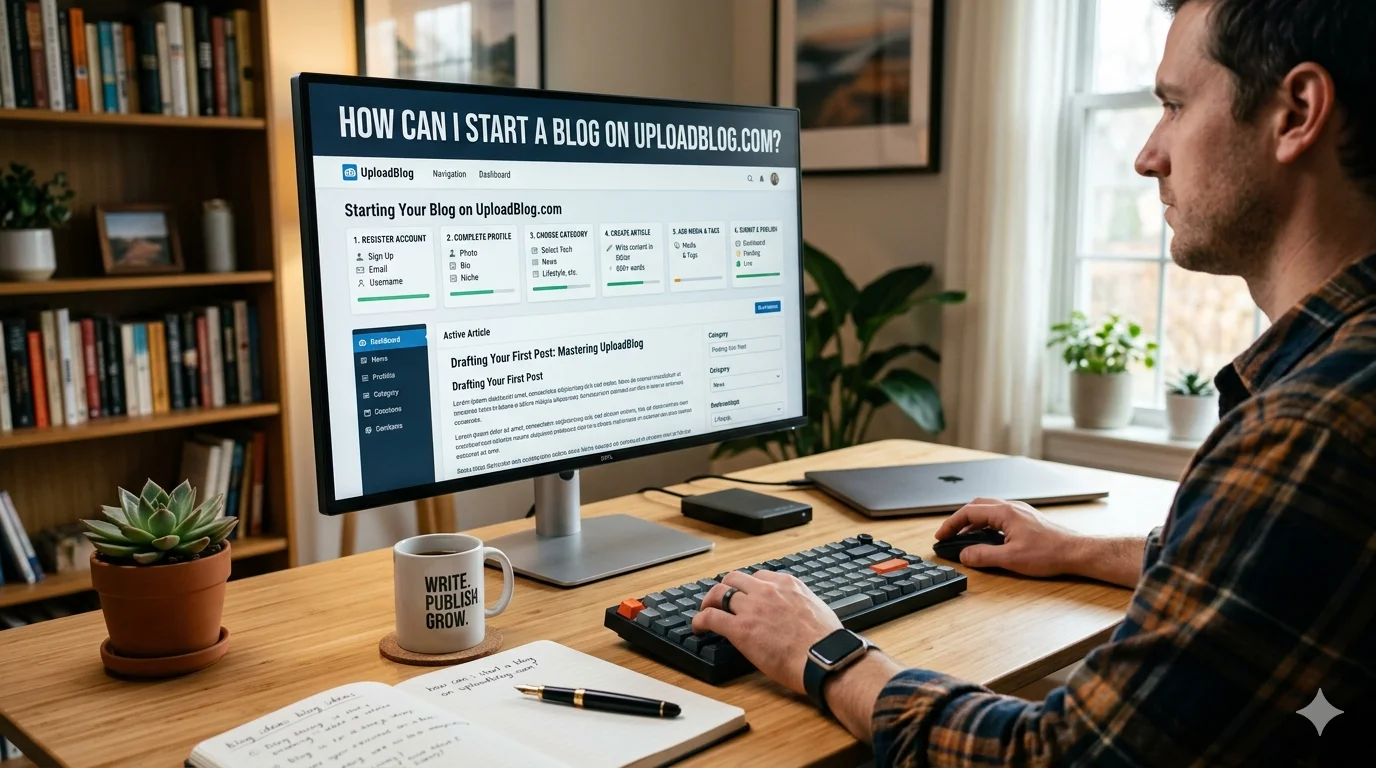
How can I start a blog on UploadBlog.com? You register an account, verify your email, complete your profile, choose your writing category, and publish your first post. The entire process takes under 20 minutes for most new users.
The platform is structured to get writers publishing as quickly as possible. Your UploadBlog dashboard becomes your main workspace where you manage drafts, published articles, account settings, and submission history — all from a single screen.
The sections below break each step into clear, actionable detail so you walk away knowing exactly what to do next.
Step 1 — Create Your UploadBlog Account
Go to the UploadBlog website and locate the registration or sign-up button on the homepage. You will need a valid email address, a username, and a password to get started.
Once you fill in the basic details and submit the form, a verification email arrives in your inbox. Click the confirmation link to activate your account. This step confirms that your email address is real and prevents spam accounts from flooding the platform.
After verification, you land on your personal UploadBlog dashboard for the first time. Take a moment to explore the layout before you begin writing — knowing where everything lives saves time later.
What you need to register:
- A valid email address
- A unique username (this appears on your published articles)
- A strong password
- Optional: your full name and a short bio
Step 2 — Set Up Your Profile Before You Publish
Your profile is the first thing readers see when they click your name on an article. A complete, professional profile builds trust immediately and encourages readers to follow your work.
From your UploadBlog dashboard, navigate to the profile or account settings section. Add a clear profile photo, write a short author bio (two to three sentences works well), and include any relevant credentials or experience that relate to what you plan to write about.
This step matters more than most new bloggers realise. Google’s E-E-A-T guidelines reward content that comes from identifiable, credible authors. A well-filled profile signals to both readers and search engines that real expertise stands behind your UploadBlog content.
Profile elements that strengthen your credibility:
- Professional or clear headshot photo
- Short bio that mentions your background or expertise
- Your niche or topic area
- Any social media or external site links the platform allows
Step 3 — Understand the UploadBlog Dashboard
The UploadBlog dashboard is your control centre for everything on the platform. Spend five minutes here before you write a single word — it pays off.
Most blogging platforms organise the dashboard into sections for content creation, published articles, drafts, account settings, and submission status. UploadBlog follows this familiar layout, which means even first-time users find it intuitive after a short look around.
From the dashboard, you can start a new article, edit drafts already in progress, check the status of submitted UploadBlog content, and update your profile settings. You can also track how your published articles perform over time as the platform records views and engagement.
Key dashboard areas to know:
- New Post / Write: Start a fresh article from scratch
- My Articles / Drafts: Access saved work you have not published yet
- Submissions: Check whether submitted articles are pending, approved, or returned for edits
- Account Settings: Update your profile, password, and notification preferences
- Category Selector: Choose the topic area for each piece of content you create
Step 4 — Choose the Right UploadBlog Category
Every article you publish on UploadBlog belongs to a category. Categories organise the platform’s content and determine which audience segment sees your work first. Choosing the right one is not optional — it directly affects how many people find your articles.
The UploadBlog category system covers a wide range of topics. Common categories on platforms of this type include technology, business, health and wellness, lifestyle, travel, education, entertainment, food, and current news. UploadBlog for tech writers is a particularly active category given the consistent demand for technology content across the web.
Match your category to your actual content. Writing a tech tutorial under the lifestyle category misleads readers and reduces engagement. The right category puts your content in front of the right people from the moment you publish.
How to choose your category:
- Identify the primary topic of your article — not the secondary points, the main subject
- Browse the available UploadBlog category list before you start writing
- If your article covers two topics, choose the one that takes up the most space in the article
- Stick to one category per article to keep your focus clear
Step 5 — Write Your First Article the Right Way
The most important step is the one that most novices rush. A well-written first article sets the tone for your entire presence on the UploadBlog website.
Start with a specific topic rather than a broad one. Instead of writing about “technology,” write about “how to protect your smartphone from malware in 2025.” Specific topics answer real questions people are searching for, which means your UploadBlog for Articles in the tech or any other area are viewed by people who genuinely want what you wrote.
Paragraphs should be no longer than two or four sentences. Use subheadings to break up long articles. Write in simple English that a fourteen-year-old could understand. Clear writing performs better in search results and holds readers longer.
What makes a strong first article:
- A specific, searchable topic that answers a real question
- A clear headline that tells the reader exactly what they get
- Short paragraphs that are easy to scan
- Subheadings every 200 to 300 words
- A practical conclusion that encourages the reader to take an action
- At least 600 words — longer articles tend to rank better and provide more value
How Do I Submit an Article on UploadBlog.com?
How do I submit an article on UploadBlog.com? Use the editor’s submit or publish button after you have finished writing your piece and chosen your category. Some platforms review articles before they go live; others publish immediately.
If UploadBlog uses an editorial review process, your article enters a pending queue after submission. You can track its status from your UploadBlog dashboard under the submissions section. Review times vary, but most platforms process submissions within one to three business days.
If your article is returned with feedback, use that information to improve the piece before resubmitting. Editorial feedback on an early submission is one of the fastest ways to understand what the platform values in published content.
Submission checklist before you hit publish:
- Article is at least 600 words
- Headline is clear and specific
- Category is correctly selected
- No spelling or grammar errors (use a free tool like Grammarly to check)
- Images are properly attributed if used
- Your author profile is complete
UploadBlog for Tech Writers — A Strong Starting Niche
Technology is one of the highest-traffic content categories online. If you write about software, gadgets, cybersecurity, artificial intelligence, app reviews, or digital productivity, UploadBlog for tech gives you an audience that is actively searching for that content.
Tech articles perform well when they solve specific problems. A how-to guide that helps someone fix a software issue, understand a new tool, or make a purchasing decision provides immediate value. That value drives shares, return visits, and organic search traffic over time.
UploadBlog news coverage is another strong angle for tech writers. Publishing timely pieces on product launches, platform updates, or industry developments drives traffic spikes when those topics trend in search.
High-performing tech content types on blogging platforms:
- Step-by-step tutorials with clear instructions
- Honest product or app reviews
- Comparisons between two similar tools or services
- Explainers on emerging technology concepts
- Roundups of the best tools for a specific task
- Responses to breaking UploadBlog news in the tech space
UploadBlog Review — What Writers Actually Experience
An honest UploadBlog review from a writer’s perspective comes down to three things: ease of use, content reach, and community.
The platform’s simplicity is its biggest advantage for beginners. You do not need to know anything about web hosting, WordPress themes, domain names, or SEO plugins. You create an account, write your article, and publish. The technical layer is invisible, which means your energy goes entirely into writing.
For experienced writers, the platform serves well as a content distribution channel. Publishing the same expertise in multiple places — your own website, LinkedIn, and platforms like UploadBlog — multiplies your reach without requiring you to create entirely new content each time.
The main thing to manage is quality. Platforms that allow open submissions can accumulate lower-quality content over time. Regularly publishing excellent, thoroughly researched work distinguishes your articles and establishes a reputation that attracts readers to your profile in particular.
Privacy Policy and What UploadBlog.com Expects From Users
Reading the privacy policy UploadBlog maintains before you publish is a step worth taking. A platform’s privacy policy tells you how your data is stored, how your content is used, and what rights you retain over the articles you publish.
Most blogging platforms make you the owner of your original content but grant the platform a license to display, distribute, and index it. This is a common practice that is applicable to several platforms such as Medium, LinkedIn Articles, and other comparable services.
Understanding the privacy policy UploadBlog has in place also tells you what you agree to when it comes to user data collected during registration and browsing. This includes your email address, usage data, and any analytics information tied to your account.
Key things to look for in any platform’s privacy policy:
- Who owns your published content
- Whether your data is shared with third parties
- How you can delete your account and content if you choose to
- What data is collected when readers visit your articles
UploadBlog About Us — Understanding the Platform’s Purpose
The UploadBlog.com about us page gives context for what the platform was built to do and who it was built for. Reading it before you commit to publishing there helps you understand whether the platform’s values and audience align with your writing goals.
Most content platforms exist to democratise publishing — to give anyone with knowledge and something worth saying a place to say it. That purpose shapes the culture of the community, the type of content that performs well, and the editorial standards the team applies.
Knowing the platform’s origin and direction also helps you pitch your content in a way that fits. Writers who understand what a platform stands for consistently produce content that performs better on that platform.
Complete UploadBlog.com Guide Reference Table
| Feature | Details |
|---|---|
| Platform Name | UploadBlog.com |
| Platform Type | Open blogging and article submission platform |
| Registration Required | Yes — free account with email verification |
| Dashboard Access | Available immediately after account activation |
| Primary Categories | Tech, News, Lifestyle, Health, Business, Education, Entertainment |
| Tech Category | High-traffic niche — ideal for how-tos, reviews, and tutorials |
| Article Submission | Via the dashboard editor — submit or publish button |
| Submission Review | Platform-dependent — check status in dashboard |
| Minimum Recommended Length | 600+ words for best visibility and value |
| Profile Setup | Photo, bio, niche — complete before first publish |
| Privacy Policy | Available on the UploadBlog website — review before publishing |
| About Us Page | Found in the site footer or main navigation |
| Content Ownership | Typically retained by the author — check privacy policy |
| Best Content Types | Tutorials, reviews, news commentary, how-to guides |
| LSI Keywords | Free blogging platform, submit article online, content publishing site, blog setup guide |
6 FAQs About Starting a Blog on UploadBlog.com
Q1: How can I start a blog on UploadBlog.com? Register a free account on the UploadBlog website, verify your email, complete your profile in the dashboard, choose your content category, write your first article, and hit submit. The full process takes less than 20 minutes for most new users.
Q2: How do I submit an article on UploadBlog.com? Write your article inside the platform’s editor, select your category, review the content for accuracy, and use the submit or publish button. Track the approval status from your UploadBlog dashboard under the submissions section.
Q3: What is the UploadBlog dashboard used for? The UploadBlog dashboard is your main workspace. From there you write new articles, manage drafts, track submission status, view published content performance, and update your account and profile settings.
Q4: What categories can I write for on UploadBlog? The UploadBlog category system covers topics including technology, news, health, lifestyle, business, education, and entertainment. Choose the category that best matches your article’s primary subject to reach the right audience.
Q5: Is UploadBlog.com free to use? Based on the platform’s open-access model, creating an account and publishing UploadBlog content is free. Registration requires only an email address, with no payment information needed to start writing and submitting articles.
Q6: Where can I find the UploadBlog privacy policy and about us page? Both the privacy policy UploadBlog maintains and the UploadBlog.com about us page are typically found in the site’s footer navigation or the main menu. Read both before publishing to understand the platform’s terms and mission.
Build Your Presence on UploadBlog.com — Starting Today
The best time to answer how can I start a blog on UploadBlog.com is right now, with your first article. More writers are prevented from publishing by waiting for the ideal subject, setting, or time than by any technical obstacle.
Pick one topic you know well. Write 700 to 1,000 words that genuinely help someone. Fill in your profile completely. Choose the right UploadBlog category. Submit. That is the entire process, and every step after the first one gets easier.
The writers who build real audiences on platforms like UploadBlog are not the ones who publish perfectly — they are the ones who publish consistently, improve with every article, and stay engaged with their readers. Your first post does not need to be your best one. It just needs to exist.
Go to the UploadBlog website, create your free account, and put your first article in front of readers today.